


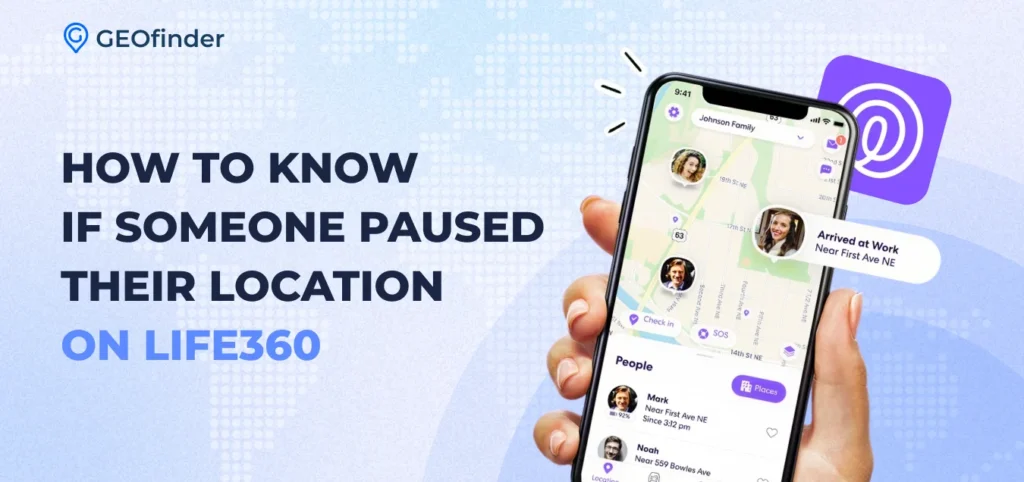
Decades ago, finding someone’s location was almost impossible. If you wanted to know where someone was, you usually had to call them directly. Even that wasn’t always possible, because not everyone owned a mobile phone. The only real option was to call and ask, but even then, it didn’t always work, since mobile phones weren’t as common. More often than not, you had to wait until the person got home, returned your call later, or found another way to reach you, like using a neighbor’s phone.
Today, thanks to smartphones and specialized location-tracking apps, everything has changed. One of such apps is Life360. It helps families and friends stay connected and know each other’s whereabouts at any time. However, despite the many benefits the family tracking app offers, there are cases when the map suddenly stops updating, leaving you wondering what actually happened. Did the person turn off their phone? Lost signal? Or pause their location on purpose?
In this review, we’ll break down the real signs, explain what each status means, and show how to tell if Life360 is paused or if something else is causing the location to stop updating. Are you ready?
What Does “Location Paused” Mean in Life360?
How to tell if the location is paused on Life360? When someone pauses location sharing in Life360, they intentionally stop the app from broadcasting their real-time location to other members in the Circle. Technically, the app stops sending GPS updates from that user’s phone. Instead of live movement on the map, other members only see the last recorded location before sharing stopped.
This situation indicates that Life360 location sharing was paused. However, paused sharing is only one possible explanation. The same behavior can happen if:
- The phone battery died
- The device lost Internet connection
- The app was closed
- GPS permissions were disabled
- Poor network connection
- The user logged out of the app without you knowing
- Software glitches
Because these situations look similar in the interface, people often wonder how to tell whether someone’s Life360 is paused or if the issue is technical.
For example, when someone purposely turns off sharing, the app usually shows a status message indicating that the location is paused – “Location Paused”, but when a phone is offline, the app may display the last location without any clear explanation.
Signs That Someone Paused Their Location on Life360
So, what are the indicators that someone has paused their location on Life360?
1. The map shows a frozen last location
One of the first signs is that the map stops updating – the user’s location remains stuck in the same place for a long time (even though you know they are not there).
2. A “Location Sharing Paused” message appears
When Life360 displays a clear notification that says “Life360 location sharing paused.” When this message appears, it usually means the user intentionally disabled location sharing on their device.
3. The timestamp stops updating
Another clue to look at is the timestamp below the location pin. Instead of showing “updated just now,” the app might show “Last updated 2 hours ago”, which means the location hasn’t refreshed for a while.
4. No movement history appears
If the user’s route history suddenly stops while they are still active elsewhere (for example, posting online with geotags or responding to messages), this may indicate Life360 location sharing has paused rather than a technical problem.
Of course, none of these signs are 100% proof by itself. That’s why users often look for additional clues before concluding whether someone’s Life360 is paused.
In some cases, location manipulation tools may also create confusing behavior. More about this can be found here.
How to Tell If Life360 Is Paused vs. Phone Off or Out of Signal
Sometimes it’s difficult to know whether someone intentionally paused Life360 or if their phone isn’t sending updates. The app doesn’t always make the difference obvious, but there are a few ways to tell.
How to tell if the location is paused on Life360? When location sharing is paused, Life360 may display a clear message saying “location sharing paused.” The last known location stays on the map, and the timestamp stops updating. The user still appears active in the Circle, but no new movement is shown.
When the device is out of signal or has no Internet, location updates pause temporarily. The map shows the last known spot, but updates will continue automatically once the phone reconnects.
Can You See Exactly When Someone Paused Their Location?
Life360 includes a Location History feature that records a user’s movements and location updates over time, but it doesn’t always show the exact moment when location sharing was paused. Premium Life360 plans do offer more detailed history, but even those versions don’t always pinpoint exactly when sharing was paused.
In situations where certainty is crucial, it’s wise to fall back on independent tracking methods. For example, services that generate a tracking link let users view a device’s location directly, without relying entirely on the Life360 app. Here’s an overview of how those systems work.
What to Do When You Think Someone Paused Their Life360
When you suspect someone has paused location sharing, staying calm is key; there’s no need to panic. Here are some steps you can take to get a clearer picture of what’s happening.
1. Check the last location timestamp
Look at when the location was last updated. If it stopped hours ago while the person is clearly active elsewhere, this might indicate that Life360 location sharing has paused.
2. Review location history
The history tab can show where the person was before the updates stopped. It may provide helpful context.
3. Ask directly
Sometimes the simplest solution is to ask the person. Many people pause location sharing for privacy, battery saving, or temporary reasons.
4. Use an independent verification method
If Life360 is not updating reliably, you may want to verify the location using another method. Tools like GEOfinder allow you to send a secure tracking link to a phone.
How does the app work?
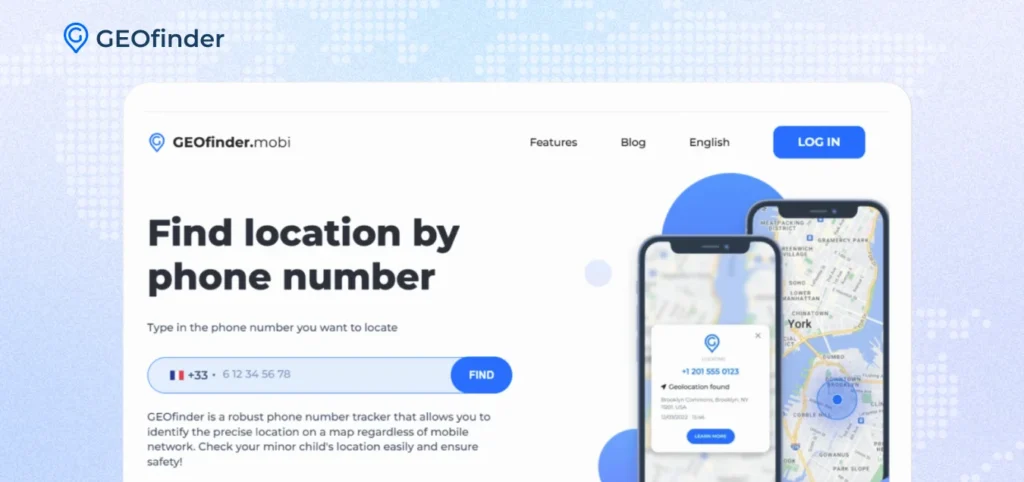
1) You send an SMS.
2) The user gets a message and opens it.
3) Once opened, the system shows its real-time location data.
This approach can be helpful when users are unsure how to tell if someone’s Life360 is paused or if the app has stopped working. What is more, if you track someone’s location using their phone number, the target won’t know it’s you, nor will they suspect anything.
Final Thoughts
Figuring out how to know if someone paused their location on Life360 can be tricky, since the app doesn’t always explain why updates stop. Sometimes the person intentionally pauses sharing, but it could also be a dead battery, poor connection, or GPS issues.
You might see a frozen location, an old timestamp, or a message saying Life360 location sharing paused, but these signs don’t always tell the full story. The best way to get clarity is to check up on the last update, review location history, or ask the person directly. If Life360 still leaves you guessing, tools like GEOfinder can step in to independently confirm a device’s location, giving you peace of mind.
How do I know if someone pauses their location on Life360?
Their location will stop updating and show their last known position with a timestamp. You may also see a “Location Paused” or “Location Sharing Paused” message on their profile in the app.
Can you pause Life360 without anyone knowing?
Not easily. When you pause location sharing, other circle members are typically notified or will see that your location is no longer updating. However, some workarounds — like turning on airplane mode or using a VPN — may prevent updates without triggering an explicit “paused” notice.
How does someone pause their location on Life360?
Open the Life360 app, tap your profile icon, and look for the option to pause or stop location sharing. Depending on your plan and app version, this may be under Settings or directly on your profile card. Note that pausing is visible to other circle members.



Comments